.png)
 2 hours ago
5
2 hours ago
5
NowComment is a free online tool that lets teachers bring students together around the same learning materials, with annotation and discussion built into the experience.
NowComment is designed around the idea that giving students a place to work with shared materials and discuss what they find with their classmates helps. It can be used with a range of content and across different types of classroom activity, from individual work to group discussion.
For teachers, it offers a way to make student thinking more visible while keeping the focus on the material being studied. Here’s what educators need to know about NowComment, and how it can be used in the classroom.
What is NowComment?
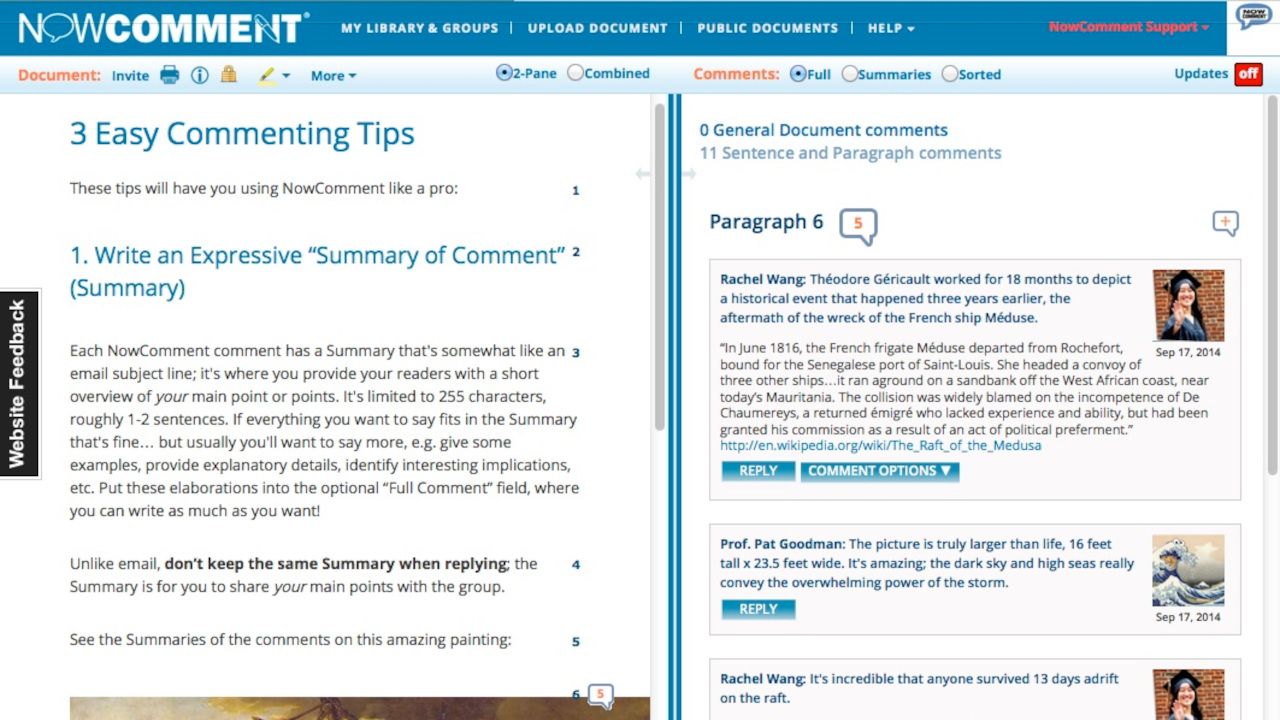
NowComment is an online space for discussing and annotating documents. Teachers can upload reading material and invite students to comment on it, with each comment linked to a specific part of the document.
The platform works with text, images, and video so it can be used for more than traditional reading activities. Students can comment on a particular passage, highlight an area of an image, or start a discussion while a video is playing.
Documents can be kept private and shared with selected students or groups, or made public when appropriate. Teachers can also organize students into groups and use collections to keep related material together.
How does NowComment work?
Teachers start by uploading a document to NowComment. Supported formats include Microsoft Word, Excel, PDF, images, plain text, and web content. Video and audio can also be included through embedded media.
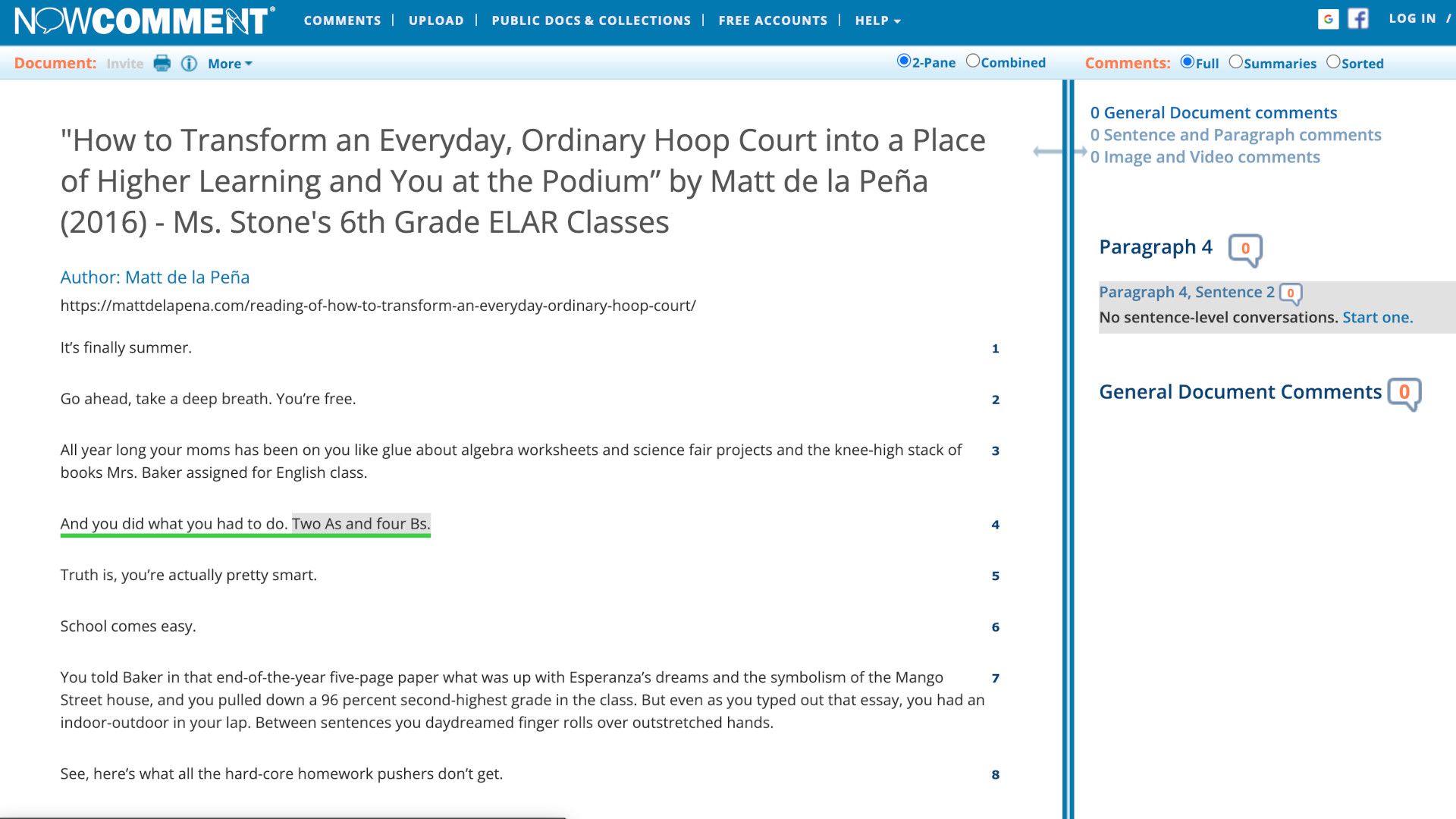
Once the material is uploaded, students can be invited to view and comment on it. In the standard two-pane view, the document appears on one side of the screen and the comments on the other, making it easy to see to which part of the material each discussion relates.
Students can start a conversation by selecting text, an area of an image, or a point in a video. Other students can then reply to the comment, creating a threaded discussion around that particular piece of material.
For a teacher, this could be as simple as uploading a reading and asking students to identify an important point, question an argument, or respond to a particular passage. The resulting comments can then form the basis of a class discussion or provide evidence of how students have engaged with the material.
What are the best NowComment features?
The main strength of NowComment is its in-context commenting. Rather than having students write their thoughts in a separate discussion forum, comments stay attached to the section of the material that prompted them. This can make it easier to follow a discussion, particularly when several different points are being discussed at once.
The image tools extend that idea beyond text. Students can identify and comment on particular areas of an image, which could work well for analyzing photographs, artwork, maps, diagrams, or other visual materials.
Useful controls are available for teachers. Assignments can have minimum or maximum comment requirements, deadlines, and email reminders, while time controls can determine when students can view a document or post comments. Teachers can also hide other students' comments until a specified point, which could be useful when you want everyone to make an initial response independently.
Groups make it possible to organize students and share documents with particular classes or teams. Once students are members of a group, new material can be shared with that group without having to invite every student individually each time.
For teachers who want to see how students are using the platform, NowComment also has analytics reports that can sort and tally comments and document visits across multiple documents. Download and export options are available as well, so material isn't locked into the platform.
How much does NowComment cost?
NowComment is free to use.
The platform says there is no charge for creating an account, uploading documents, or inviting others to view and comment.
NowComment Tips
- Start with a short text
Don't make the first activity a huge reading. Give students something short enough to annotate in one sitting so they can get used to selecting material and joining conversations. - Set a clear question
Give students a specific reason to comment rather than simply asking them to discuss the document. A question about evidence, an author's argument, or a particular character can give the activity much more focus. - Use hidden comments
If you want students to develop their own response before seeing what everyone else thinks, use NowComment's controls to hide comments from other students initially. This can help prevent the first few responses from steering the whole class. - Try visual material
Use the image commenting tools for photographs, artwork, maps, or diagrams. Asking students to identify a particular detail and explain why it matters can make a simple image into a useful discussion starter. - Review the discussion
Don't let the comments become the end of the activity. Pick a few interesting or contrasting responses and bring these back to the classroom for discussion, using the annotations as evidence for the conversation.
%20ILLUSTRATION%20Isadora-Ayesa%20Lima%20SOURCE%20Amazon.jpg?mbid=social_retweet)







 English (US) ·